Beyond the Bot – Why Change Management Is the Real Copilot

Microsoft 365 Copilot makes waves - and for good reason. It’s not just another productivity tool....


So, you’ve launched Microsoft 365 Copilot!!! Congratulations!
This article is part of our Microsoft 365 Copilot Adoption Series:
- Beyond the Bot — Why Change Management Is the Real Copilot
- Digital Confidence: How to Train People, Not Just Users, for Microsoft 365 Copilot Success
- Storytelling That Sticks - Driving Copilot Adoption Through Communication
- From Launch to Lift-Off — Sustaining Copilot Momentum with Metrics & Community (you are here)
The confetti has settled, the launch party cupcakes are long gone, and your inbox is finally quiet(er). But now comes the real challenge: keeping the momentum going.
Welcome to the post-launch phase - where the magic happens or fizzles out. This blog is your survival guide to making sure Copilot doesn’t become “that cool thing we tried once” but instead becomes “how we work now.”
Let’s talk about metrics, feedback, community, and responsible AI:
You know what they say: “If you can’t measure it, it didn’t happen.” Okay, maybe only data nerds say that, but they’re right.
Microsoft gives you some great tools to track how Copilot is being used:
Microsoft 365 Usage Analytics: See who is using Copilot, how often, and in which apps.
Adoption Score: Measures how well your org is using Microsoft 365 features - including Copilot. Bonus: it gives you actionable insights, not just scary charts.
Power BI Dashboards: Build custom views to track Copilot engagement across departments. Want to know if Finance is using Copilot to write poetry? Now you can.
In addition, there are third-party tools that provide more custom analytics, like the Copilot Center within ENow's True Adoption Center.
What to Measure
Usage frequency: Are people using Copilot daily or just when they are bored?
Feature adoption: Are they using it to summarize emails, generate presentations, or just asking it to tell jokes?
Sentiment: More on this later, but yes - you can measure vibes.
Don’t just look at the numbers. Look at the trends. If usage spikes after training, great! If it drops after a policy change, maybe not so great. Metrics tell a story - read it like a mystery novel.
Metrics provide the data, but stories provide the meaning. Combining quantitative insights with real user experiences helps leaders understand not just what is happening, but why.
Feedback is the lifeblood of adoption. Without it, you’re flying blind.
Microsoft Forms: Run quick surveys after training sessions, feature rollouts, or just because it is Tuesday.
Viva Engage Polls: Ask questions like “What’s your favorite Copilot feature?” or “Is Copilot your new work best friend?”
Stream Video Comments: If you are sharing Copilot tutorials, let users comment directly. You will get real-time reactions - and maybe a few emoticons.
What is working?
What is confusing?
What do you wish Copilot could do?
Act on the feedback. Nothing kills momentum faster than asking for opinions and then ignoring them. If someone says, “Copilot keeps suggesting I quit my job,” maybe look into that.
You’ve got metrics. You’ve got feedback. Now let’s build a community - because peer learning is the secret sauce of sustained adoption.
Viva Engage Groups: Create a “Copilot Champions” group where early adopters share tips, tricks, and hilarious fails.
SharePoint News Hub: Post weekly “Copilot Wins” stories. Celebrate the person who used Copilot to write a killer proposal.
Teams Channels: Set up dedicated spaces for Copilot Q&A, use case sharing, and prompt competitions. Yes, prompt competitions, that could totally be a thing!
People trust people. When they see their peers successfully using Copilot, they’re more likely to try it themselves. It’s like social proof, but with fewer influencers and more spreadsheets.
Gamify it. Give badges for “Best Prompt,” “Most Creative Use,” or “Copilot Whisperer.” Recognition goes a long way - and it’s cheaper than an unused Copilot license.
Copilot is powerful. Like, “I just wrote a 10-page report in 3 minutes” powerful. But with power comes responsibility. And governance. And a few legal disclaimers.
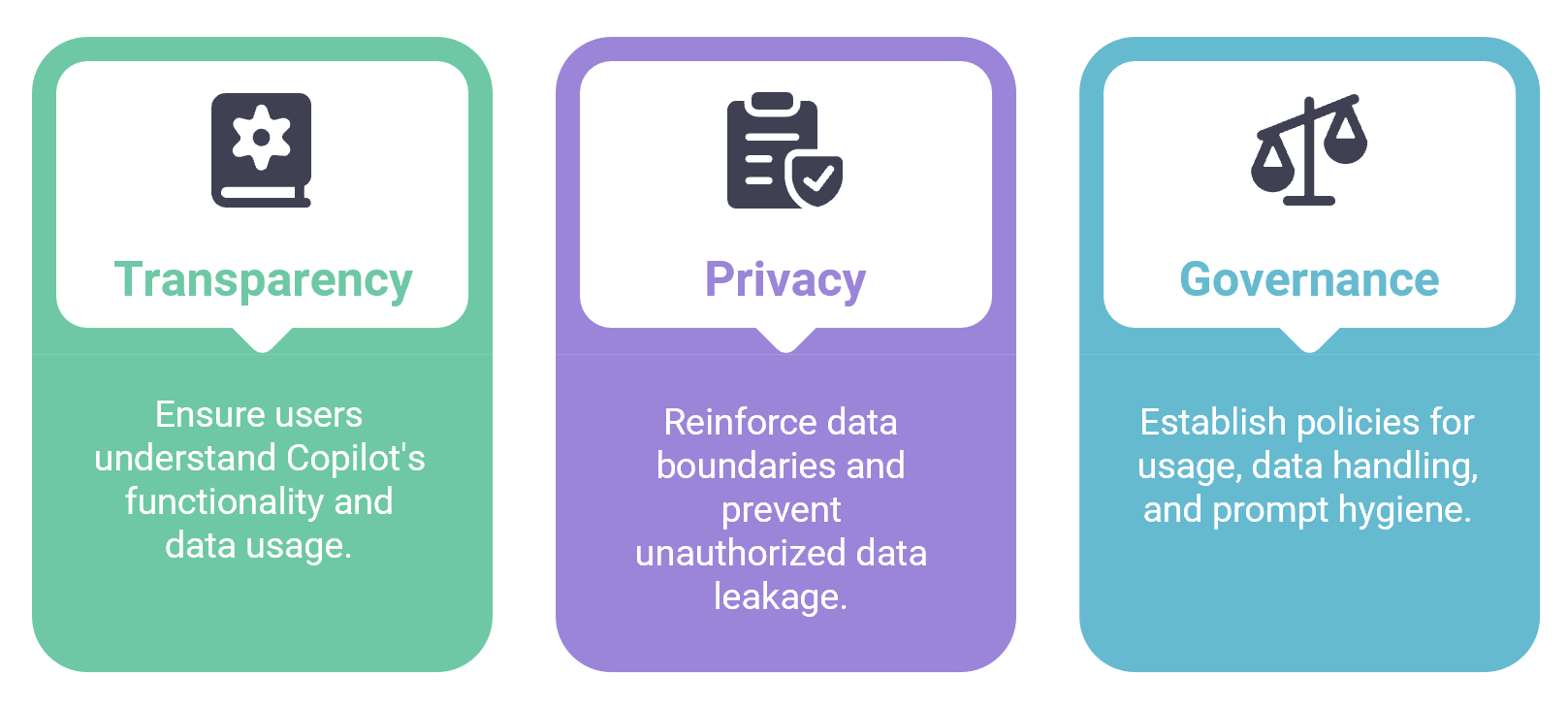
Transparency: Make sure users know how Copilot works, what data it uses, and what it does not do (like read minds).
Privacy: Reinforce that Copilot respects data boundaries. No, it will not leak your resignation letter (at least not as long as your Copilot rollout included the crucial governance guardrails).
Governance: Work with IT and legal to set policies around usage, data handling, and prompt hygiene. Yes, prompt hygiene. It is a thing.
Use SharePoint to host your Responsible AI guidelines. Link to it from every Copilot training, news post, and Viva Engage campaign. Make it easy to find - and even easier to understand.
Sustained adoption is the long game of change management — reinforcing behaviors, refining processes, and continuously supporting people as Copilot evolves.
Here’s your post-launch roadmap:
|
Week |
Focus |
Tool |
Action |
|
1 |
Metrics |
Power BI or |
Build dashboard to track usage |
|
2 |
Feedback |
Forms |
Run sentiment survey |
|
3 |
Community |
Viva Engage |
Launch Copilot Champions group |
|
4 |
Responsible AI |
SharePoint |
Publish governance guidelines |
|
5 |
Engagement |
Stream |
Share “Copilot in Action” video |
|
6 |
Recognition |
Viva Engage |
Host prompt competition |
|
7 |
Insights |
Power BI or |
Review trends and adjust strategy |
|
8 |
Celebration |
SharePoint |
Post “Top 5 Copilot Wins” article |
Apart from just gathering feedback, Microsoft 365 offers a wide range of tools that can effectively support your community and change management strategies.

Launching Copilot is exciting. Sustaining Copilot adoption? That’s where the real work - and the real fun - begins. With the right mix of Copilot usage metrics, feedback, community, and responsible AI, you’ll go from “We launched Copilot” to “We transformed how we work.”
So, grab your toolkit, rally your champions, and let’s turn that launch into lift-off.
Resources:
Bringing it all together
Sustained Copilot success isn’t about a single initiative — it’s about aligning change management, digital confidence, storytelling, community, and measurement into one continuous adoption strategy.
Now that the confetti has died down, true Copilot adoption depends upon how you sustain it. To make change stick, you need to measure what's working and what's not working. To do that easily and quickly, you need the right tools.
That’s where ENow’s True Adoption Center and Microsoft 365 Copliot Center comes in. Go beyond surface-level metrics to uncover the “why” behind adoption trends. See which departments and specific users are using Microsoft 365 Copilot, which users need more support, and how your storytelling efforts are translating into actual usage.
ENow's Microsoft 365 Copilot Center solution helps you understand Copilot’s true impact across your organization. Gain clarity on usage patterns, identify value opportunities and Copilot license readiness, and ensure your investment in AI-driven productivity is delivering real business outcomes.
If you’re ready to sustain momentum, ENow can help you get there.