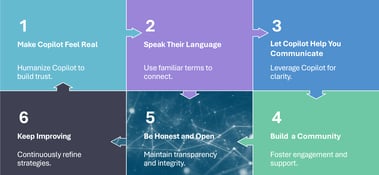
From Launch to Lift-Off – Sustaining Copilot Momentum with Metrics & Community

So, you’ve launched Microsoft 365 Copilot!!! Congratulations!


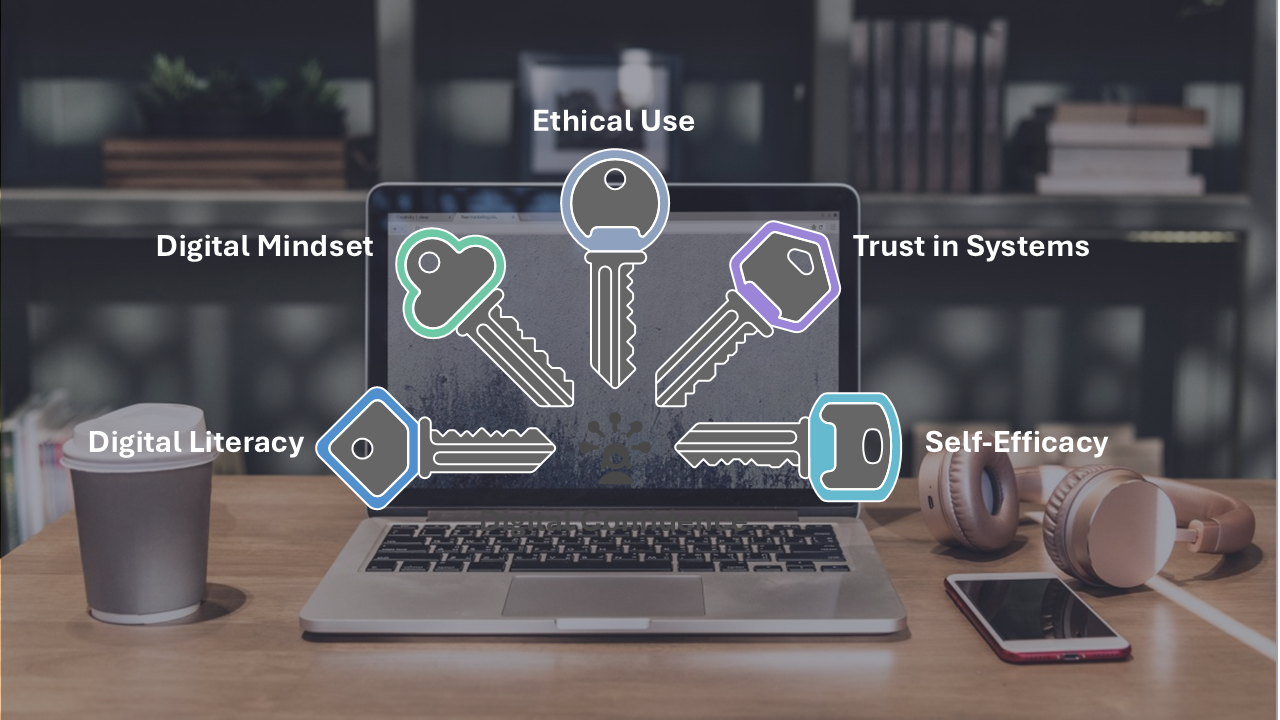
In today’s fast-moving digital world, companies are rushing to use smart tools like Microsoft 365 Copilot. These tools can do amazing things - like write emails, summarize meetings, and help with everyday tasks. But the real challenge is not just turning them on – it is about making sure people feel ready and confident to use them.
This article is part of our Microsoft 365 Copilot Adoption Series:
Digital Confidence: How to Train People, Not Just Users, for Microsoft 365 Copilot Success (you are here)
Storytelling That Sticks - Driving Copilot Adoption Through Communication
From Launch to Lift-Off — Sustaining Copilot Momentum with Metrics & Community
This article looks at why building digital confidence matters. It is not just about showing people how the tools work – it is about helping them feel curious, capable, and open to learning. When people feel confident, they are more likely to explore, ask questions, and use technology in ways that really have influence.
Let’s start by understanding what digital confidence really means.
It’s about feeling comfortable and capable when using digital tools - not just knowing which buttons to click, but being curious enough to explore, creative enough to try new things, and confident enough to trust yourself with technology. It’s more than just skills - it’s the mindset that helps you learn, adapt, and make the most of what digital tools like Microsoft 365 have to offer.
It consists of the following key dimensions:
Digital Literacy
This includes understanding how to use devices, apps, and platforms effectively. But digital confidence also means knowing how to protect personal data, evaluate information critically, and collaborate online.
Digital Mindset
A confident digital citizen embraces change, adapts to new tools, and sees technology as an enabler, not a barrier. This mindset fosters resilience and openness to learning.
Ethical and Responsible Use
Confidence includes knowing when and how to use digital tools responsibly - especially with AI tools like Microsoft 365 Copilot. It involves understanding data ethics, prompt design, and the implications of automation.
Trust in Systems and People
Digital confidence isn’t just personal - it’s shaped by trust in the systems, institutions, and infrastructure that support digital engagement.
Self-Efficacy and Empowerment
People with digital confidence believe they can solve problems, learn new tools, and make meaningful contributions to a digital workplace. They’re not just users - they’re creators and collaborators.
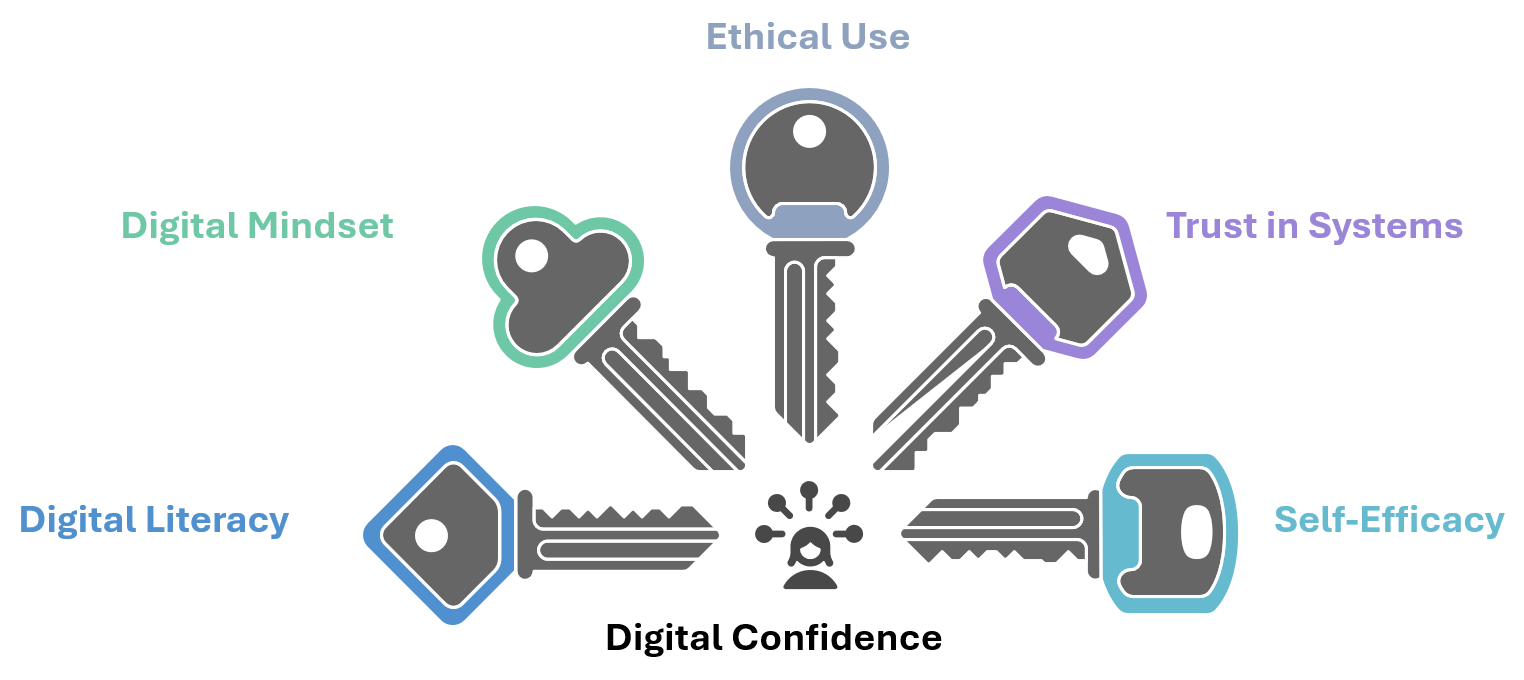
Image 1: Five key dimensions of digital confidence: literacy, mindset, ethics, trust, and empowerment
Even though they sound similar, digital competence and digital confidence aren’t quite the same.
Digital competence means you’ve got the skills - you know how to use the tools. Digital confidence means you feel comfortable and motivated to use those skills in real situations.
For example:
Digital confidence grows best in environments where change is thoughtfully managed, expectations are clear, and people feel supported — not pressured — to adopt new ways of working.
In the context of Microsoft 365 and Copilot, digital confidence is essential for:
The word “user” makes it sound like someone who just receives technology and uses it passively. But with AI tools like Copilot, we need people to be more hands-on - asking questions, trying things out, and using the tools in smart, creative ways.
Digital confidence means feeling comfortable in a tech-driven world. It’s not just knowing how to use Copilot - it’s knowing when to use it, why it helps, and how to get the most out of it.
When people are digitally confident, they’re more engaged, less frustrated, and better able to turn ideas into action. They’re not just clicking buttons - they’re making things happen.
Microsoft 365 Copilot isn’t just another upgrade - it’s like having smart AI built right into the apps we use every day, like Word, Excel, Outlook, and Teams. It can help us write, summarize, analyze, and work together faster. But just switching it on doesn’t mean people will start using it right away.
The real magic happens when people feel ready and excited to use it. To make that happen, we need to get three things working together:
People need training that fits their roles and shows them how Copilot can help with their actual work.
Processes should be updated to allow Copilot to fit naturally into how things get done.
Technology needs to be secure and set up properly to support AI tools. A lack of Copilot governance & preparation is one of the main reasons deployments pause or fail completely.
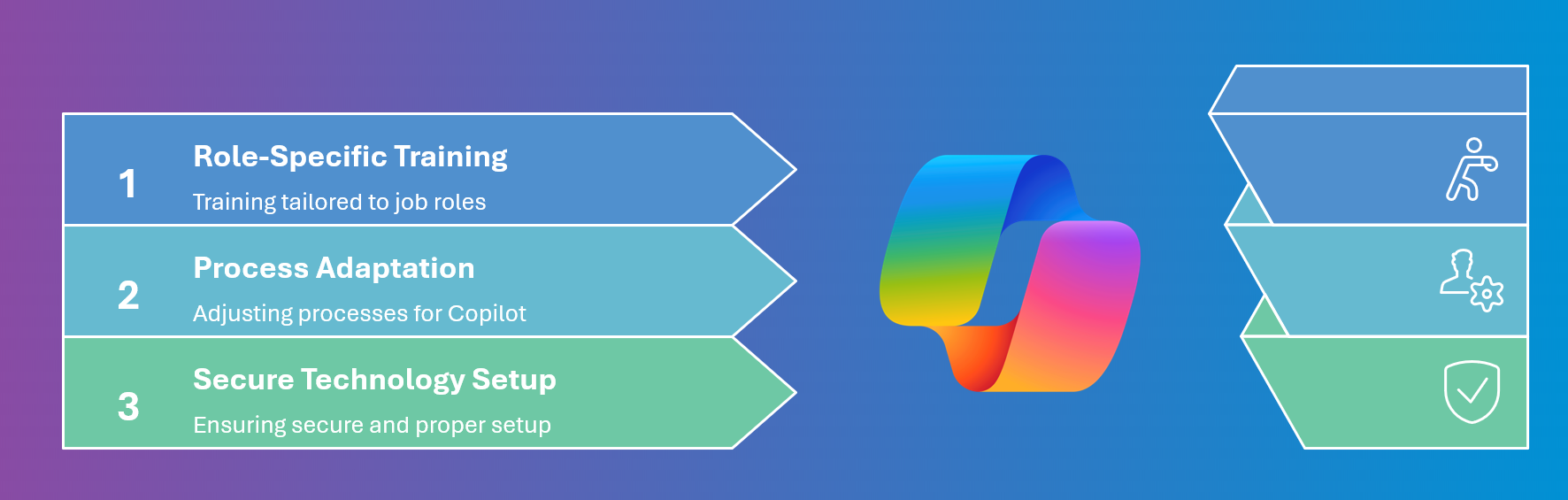
Image 2: Diagram showing three success factors for Copilot: role-based training, process alignment, secure setup.
Training for Copilot shouldn’t just be a step-by-step guide on how to use it. It needs to be practical, relevant, and focused on how people work. Here’s how to make it useful:
Make It Role-Based
Different teams use Copilot in different ways. HR might use it to write job posts, finance to summarize reports, and customer service to reply to queries. So, training should match what each team does.
Teach People How to Talk to Copilot
Asking Copilot the right questions is a skill. People need to learn how to write good prompts, tweak them, and understand the answers they get. This helps build trust and confidence.
Use Helpful Frameworks
Tools like MOCA (Modern Collaboration Architecture) help connect the dots between what people do and how Copilot can support them. It’s a great way to spot where Copilot adds real value.
Encourage Sharing and Learning Together
Let people experiment and share what works. When teams show each other how they’re using Copilot, it sparks ideas and builds a culture of learning and curiosity.
Confidence multiplies when people see peers like them succeeding. That’s where storytelling and community become powerful adoption accelerators.
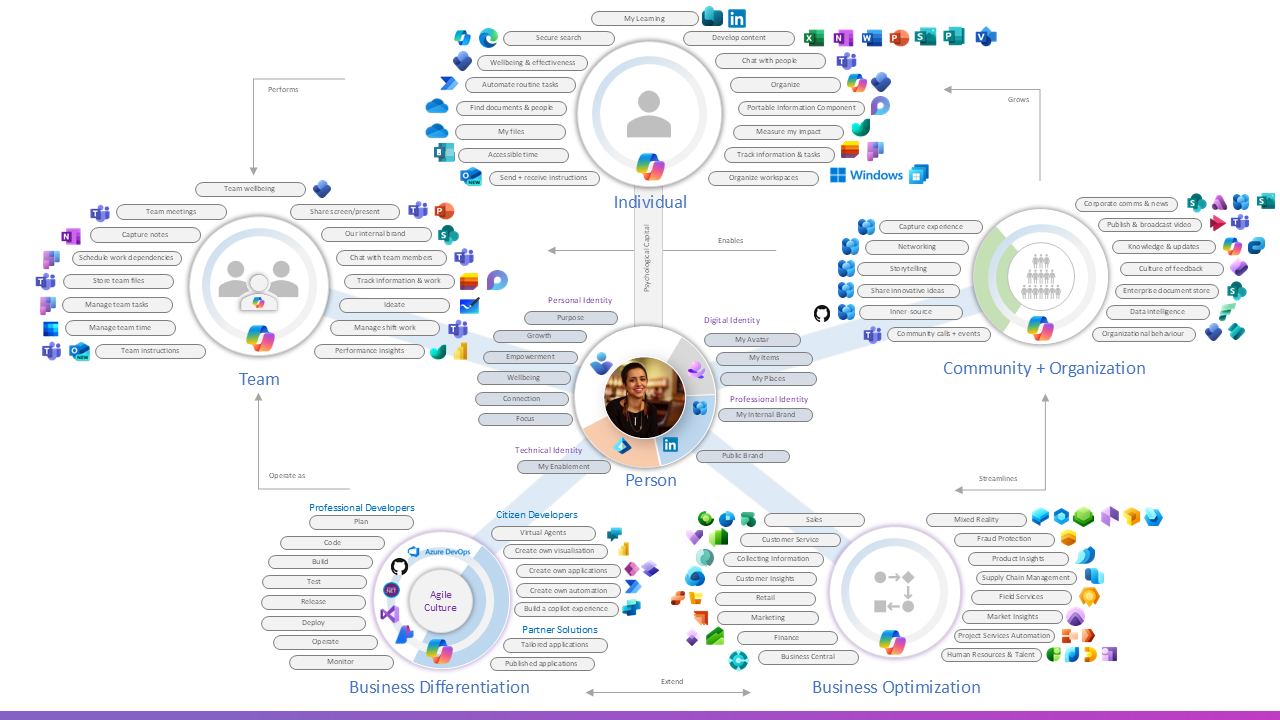
Image 3: Modern Collaboration Architecture (MOCA) framework illustrating Copilot enablement scenarios.
Even with the best intentions, rolling out Copilot can hit a few bumps. Here are some common mistakes - and how to avoid them:
Thinking it’s a one-time setup
Copilot isn’t something you just switch on and forget. It’s a journey. Keep training people, gathering feedback, and making improvements as you go.
Focusing only on the tech
Yes, the tech matters - but so do the people using it. Make sure you’re also investing in communication, training, and getting leadership involved.
Overlooking resistance
Not everyone will jump in right away. Create space for honest feedback, listen to concerns, and let your early adopters lead by example.
Not showing real-life examples
People need to see how Copilot helps them in their actual work. Use clear, relatable scenarios that solve real problems.
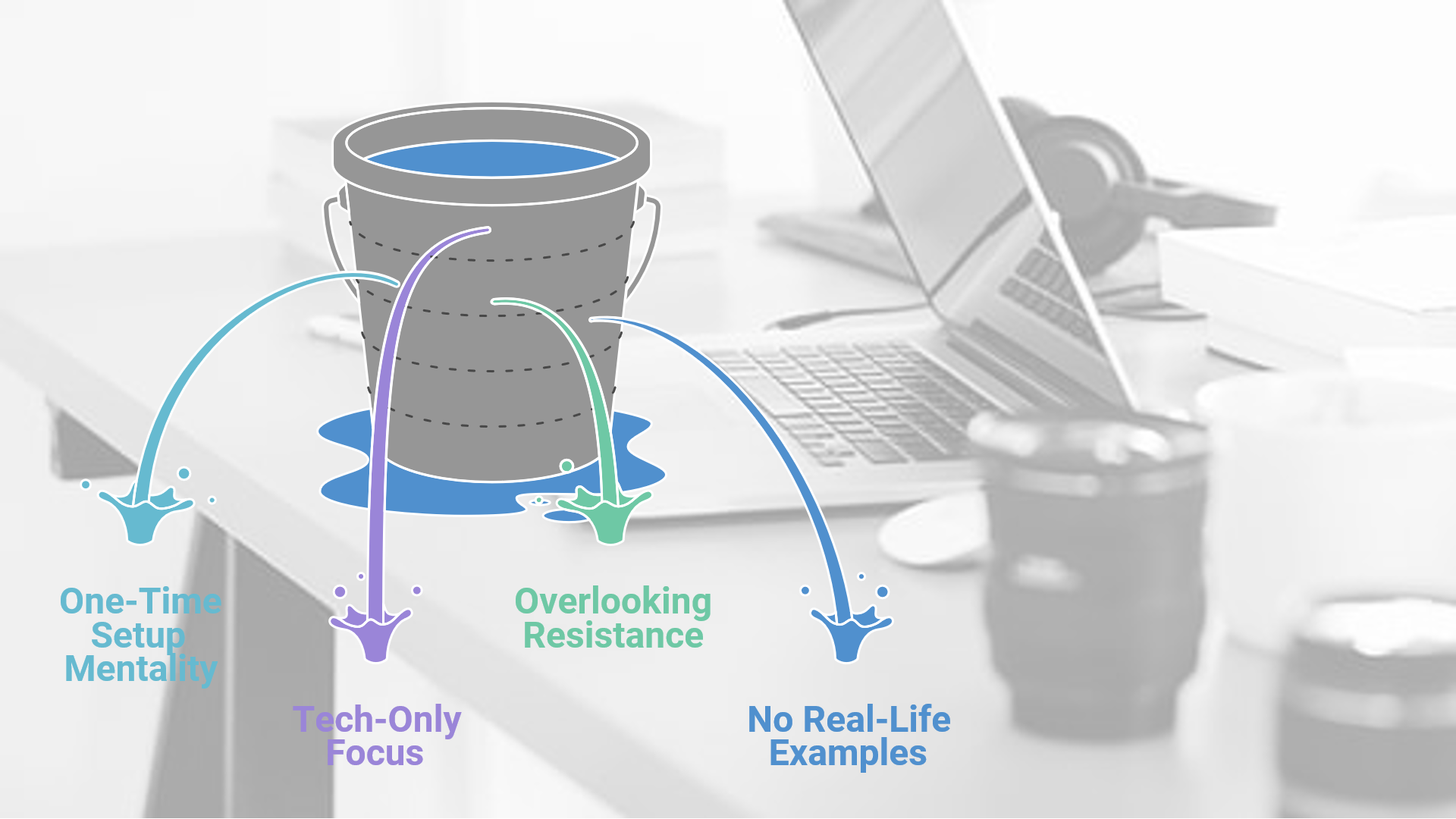
Image 4: Leaky bucket graphic showing common pitfalls in Microsoft 365 Copilot deployment.
One of the best ways to get people excited about using Copilot is by having champions - those go-to team members who are curious, trusted, and eager to try new things. They help bridge the gap between leadership and everyday users.
To build a strong champion group:
Select the right people: Look for volunteers from different teams who bring a mix of skills and perspectives.
Give them what they need: Let them try Copilot early, give them training that fits their role, and share helpful resources.
Let them lead the way: Encourage them to run demos, share tips, answer questions, and celebrate wins.
Champions help make change feel normal and build trust. They’re not just early users - they help shape the culture around how new tools are used.

Image 5: Building a Copilot champion group for user enablement and adoption.
Success with Copilot isn’t just about tracking how many people are using it. What really matters is whether people feel confident, are getting creative, and making a real impact in their work.
Ask yourself:
✔️Are people using Copilot in ways that help them?
✔️Are their workflows getting smoother?
✔️Do they feel more engaged and less overwhelmed?
Use data to keep an eye on how things are going, listen to feedback, and keep improving. Giving early access to the right people and focusing on real use cases can help you get value from Copilot faster.
Digital transformation isn’t just about using new tools - it’s about helping people grow and feel confident with those tools. As we start using Microsoft 365 Copilot, it’s important to remember that confidence leads to competence. When people feel supported and capable, they’re more likely to try new things, come up with fresh ideas, and take the lead.
Confidence Is the New Competence
Training shouldn’t just be about showing people how to use the tech - it should be about helping them grow, listening to what they need, and celebrating their progress. That’s how we turn technology into real change.
Up Next in the series:
Confident users are more willing to experiment — but widespread adoption happens when those experiments are shared. In Storytelling That Sticks - Driving Copilot Adoption Through Communication, we look at how storytelling and community turn individual Copilot wins into organizational momentum.
Learn more about ENow's Copilot Center in True Adoption Center