Exchange Hybrid Centralized Mailflow – Yes or No

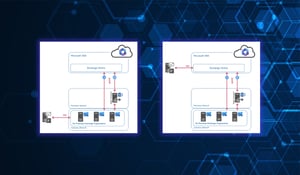
Centralized Mail Flow (also known as Centralized Mail Transport, CMT) is an option in Exchange...



Exchange Hybrid environments have come of age. What was once considered a transitional, temporary solution on the path to Microsoft 365 just a few years ago has become a permanent configuration for many organizations. It offers flexibility, control, and a fair share of complexity. This very complexity often leads to a common issue: visibility gaps. In simple terms, it means you are unaware of what you don’t see.
This article discusses why Exchange Hybrid environments will remain relevant in 2026 and highlights common blind spots that can go unnoticed until mail flow is severely impacted.
First, let me clarify something since this misunderstanding keeps happening: a hybrid Exchange environment is not just a temporary stage to move past quickly. For many organizations, hybrid is actually the ideal long-term solution to their genuine needs.
Typical reasons why on-premises Exchange will still be needed in 2026:
In short, those who operate in hybrid environments usually do so not out of habit but because it makes technical and organizational sense. With Exchange Server SE, Microsoft has also sent a clear signal: On-premises Exchange has a future. But under new circumstances. The promise is that Exchange Server will be available at least until the end of 2035.
Messages are transferred between Exchange Online and on-premises servers, with connectors specifying the source and destination endpoints. Certificates and their TLS configurations are essential for secure, trustworthy communication channels and must be consistent on both ends. This system generally performs well in practice, provided all components are correctly aligned.
The problem: When something doesn’t fit, pinpointing the exact issue can be difficult, and this often leads to blind spots.
Before we discuss the blind spots, it’s helpful to clarify a point often overlooked in daily practice: Not everything labeled “hybrid” truly is one. At least not in Microsoft’s definition. A genuine Exchange Hybrid SMTP connection exists only when Exchange Server and Exchange Online can communicate directly via SMTP. This is exactly what the Hybrid Configuration Wizard sets up: it establishes the necessary connectors, certificate mappings, and organizational relationships so that both sides can communicate securely.
Once a third-party MTA becomes involved in the transport path between Exchange Server and Exchange Online, it not only forwards messages but also actively processes, modifies, or resubmits them; it is no longer considered a supported hybrid connection. This can lead to significant issues: Internal email forwarding between on-premises and cloud mailboxes may behave unexpectedly, and Microsoft may decline support if a problem arises. Therefore, anyone operating a third-party gateway between Exchange Server and Exchange Online should be aware of the risks they are facing.
On-premises servers can be monitored using traditional tools, such as performance counters or event logs. Exchange Online, on the other hand, provides data via the Microsoft 365 Admin Center or PowerShell cmdlets in a completely different format, with different latency and granularity levels.
The result: Admins rarely have a unified view of the entire hybrid infrastructure or mail flow visibility. A mail flow issue originating on the Exchange Online side won’t show up in on-premises monitoring, and vice versa. Anyone searching for the cause often starts at the wrong end.
The transition zone is particularly tricky here: Messages transferred between on-premises and Exchange Online move through connectors configured on both sides. If a delivery fails in this area, the problem appears either on premises or in the cloud, depending on the perspective. Without a monitoring solution that brings both sides together, troubleshooting remains largely guesswork.
Edge Transport Servers in the perimeter network are indispensable for many Exchange Hybrid environments. They receive incoming emails, protect internal Exchange servers, and synchronize configuration data via Edge Sync from mailbox servers of a subscribed Active Directory site. Sounds solid. And it is, as long as the synchronization works.
If Edge Sync encounters an unnoticed error, the edge server operates with outdated domain information, recipient lists, or routing information. This can cause silent mistakes: emails may be routed incorrectly, valid senders may be blocked, or spam messages may be mistakenly delivered. No error message appears at first. It is just a subtle drift in the configuration.
There is another aspect that is often overlooked. The Edge Transport server is positioned outside the Active Directory topology. It has no direct access to the internal AD and is therefore invisible to standard Exchange monitoring. Anyone who only monitors the internal mailbox servers simply does not see the Edge Transport server until a problem arises.
One of the most frustrating situations in daily Exchange operations is that the server is running, all services are green, ICMP pings come through, but emails aren’t being delivered. Transport queues build up, messages stay in retry status, and users wait.
Traditional infrastructure checks don't cover such situations. A ping only shows that the operating system responds, not that the SMTP service is actually accepting and forwarding messages. Relying solely on reachability can miss a critical security gap.
The situation becomes even more critical in hybrid environments when mail flow disruption occurs in only one direction: messages from on-premises to Exchange Online are delivered, but the return path fails. Users see a functioning email client externally, but internally, replies are lost or stay in the queue for hours. Such asymmetric errors are almost impossible to detect without end-to-end mail flow monitoring.
Maintenance windows are essential but also challenging. Anyone maintaining Exchange Server SE in line with the new Modern Servicing model will routinely install cumulative, hotfix, and security updates. During these updates, and soon afterward, there are critical phases where transport services restart, connections are momentarily interrupted, or configurations are modified.
Without targeted monitoring during these periods, it's unclear whether mail flow is truly fully operational again after an update. Anyone who assumes everything is working smoothly simply because no errors were reported during the patching process is taking a risk.
Another risk you should be aware of: In hybrid environments, an update on one side can impact the other. For example, if a connector certificate is renewed or a TLS configuration is changed during the update, the trust relationship between Exchange Server and Exchange Online might be temporarily broken. Exchange Hybrid monitoring should therefore be active not only during the maintenance window but also particularly vigilant in the hours immediately afterward.
The blind spots mentioned share a common trait: they don't stem from poor management but from gaps in structural visibility. Hybrid Exchange environments are complicated. That’s not a flaw, it’s the reality. The challenge is how to manage this complexity.
Reactive action, intervening only when users complain, is not an option in a hybrid Exchange environment. Too many processes depend on mail flow, and too many systems communicate via Exchange. A proactive approach involves three key steps:
This is exactly where ENow Monitoring for hybrid Exchange helps close that visibility gap. The platform combines Exchange monitoring and reporting into a single interface across on-premises, hybrid, and Exchange Online. Instead of switching between multiple tools, you have all relevant metrics in one central dashboard. Proactive alerts notify you before issues impact operations.
By 2026, Hybrid Exchange will no longer be a temporary fix but a strategic architectural decision. Those who choose this path accept responsibility for a complex infrastructure and must take active steps to manage this complexity. The blind spots inherent in hybrid Exchange environments cannot be fixed through better configuration alone; they are structural. The solution involves consistent, thorough monitoring that unites both environments.
In the coming months, we’ll take a closer look at the individual blind spots in this series. From latency and queue health to alert fatigue and the limits of native Exchange monitoring. Stay tuned.

Thomas Stensitzki is a Microsoft MVP, certified Exchange Server Master, and founder of Granikos GmbH & Co. KG, where he helps organizations modernize messaging, collaboration, and cloud security with Microsoft 365 and hybrid solutions. Alongside decades of deep technical expertise, Thomas has recently turned his focus to connecting technology with real-life conversations. He co-hosts the German-language podcast Cloudchroniken (https://cloudchroniken.de/), exploring the stories behind cloud technology, AI, and digital transformation. He also drives Discuss At Ease, an initiative inspired by his 2024 lymphoma diagnosis, creating open dialogue around illness, resilience, and well-being. A prolific speaker and trainer, Thomas shares insights at events like Experts Live and Exchange Summit. He contributes regularly to the Granikos blog, where his “Cumulative Update” series demystifies the latest in Exchange, Microsoft 365, Teams, and Copilot.
Centralized Mail Flow (also known as Centralized Mail Transport, CMT) is an option in Exchange...

Microsoft is changing how hybrid authentication works between on-premises Exchange servers and...