Google beating Microsoft in mobile apps? Maybe for consumer, but not for business

The nice people at SurveyMonkey sent me a note about their blog post of 20 April titled “Office 365...


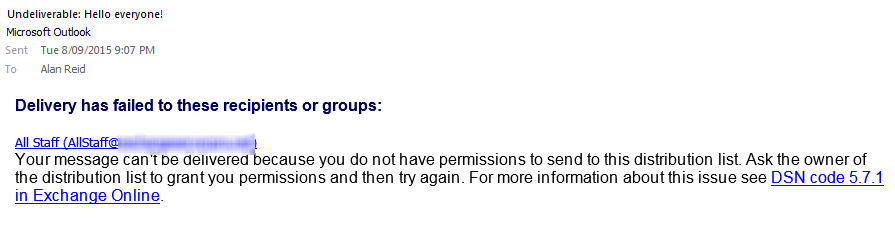
Securing mobile devices access to an on-premises Exchange Server infrastructure without a hybrid setup is not complicated when using a single-vendor strategy. You simply implement a Mobile Device Management Solution and you are done. Enterprises doing business in the high security industry tend to follow a multi-vendor strategy to reduce the risks due to security flaws in third-party devices.
This post on the business requirement to authenticate mobile devices and authorize user access to on-premises Exchange Server mailboxes using a multi-vendor strategy. The solution consists of a MobileIron Sentry implementation and additional Kemp LoadMaster VLM devices located in an internal network segment. The Kemp LoadMaster Edge Security Pack (ESP) functionality is used to allow ActiveSync connections for members of a dedicated Active Directory security group only.
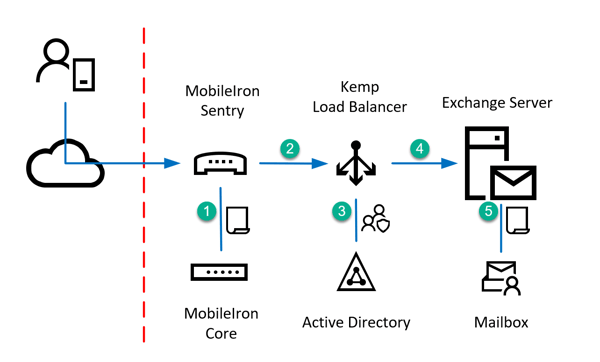
This results in the following four authentication and authorization endpoints:
The following diagram shows a simplified overview for mobile devices connecting to an on-premises Exchange Server. The perimeter and internal network segments are omitted for simplification reasons.
The SSL Traffic is offloaded and re-encrypted, because the LoadMaster needs to authenticate the user using the ESP feature. Therefore, you must ensure to select a Cipher Set that does not provide any weak or unsecure cipher suites. In this example I've selected the predefined set named BestPractices. Select the TLS protocol version depending on the compatibility level of the mobile devices used.
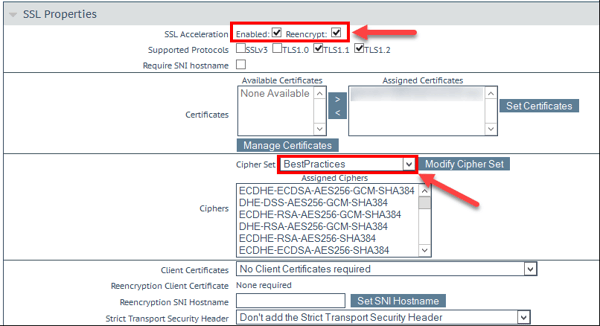
Ensure to click Modify Cipher Set to save the changes of the selected set of ciphers. Changes made to the checkbox selection do not need to be saved separately.
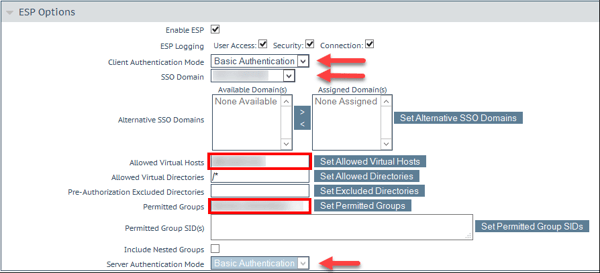
Do not forget to click the Set button where available.
Real Servers
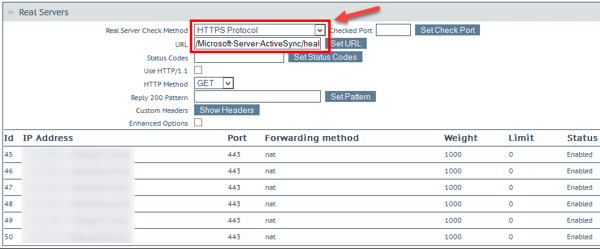
In the Real Servers section, you add all member servers of your Exchange Server DAG or any other Exchange Servers serving client access functionality. Ensure to use the HTTPS protocol for health checks and ensure to query the /Microsoft-Server-ActiveSync/healthcheck.htm url.
With this Kemp LoadMaster configuration, you've added a Kemp LoadMaster as an additional authentication endpoint to secure mobile device access to Exchange Server mailboxes. This implements a multi-vendor strategy for authorization and authentication of mobile devices and users.