Part 1: Monitoring Microsoft Exchange Is Not the Same as Monitoring User Experience

There’s a moment many Exchange admins know well: a call from the helpdesk, an upset team in...


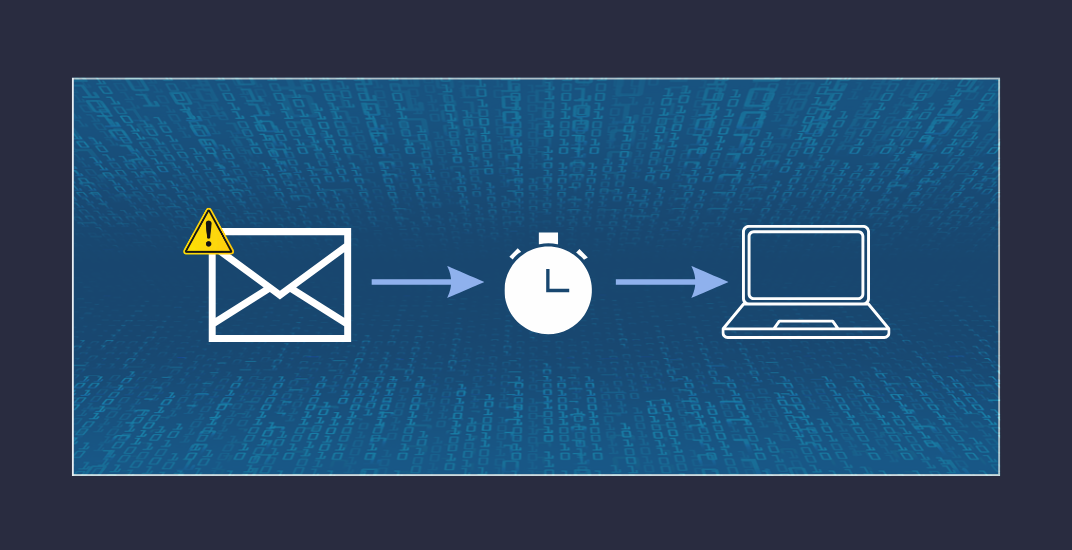
Mail flow appears operational, according to your Exchange server. There are no failed services, NDRs, or help desk tickets. However, someone in sales has been waiting twenty minutes for a reply that was sent out long ago. Even more critically, in trading or finance settings where emails are crucial for time-sensitive operations, messages are accumulating in queues that no one is monitoring.
Latency in Exchange mail flow is a subtle yet serious issue that Exchange administrators often face. Unlike outages, hard bounces, or failures, it occurs quietly and gradually, sometimes over several hours. This article explains the sources of latency, how single-server setups differ from multi-site architectures with Database Availability Groups in terms of risk, and what is needed to monitor it effectively.
Before exploring specific scenarios, it's useful to grasp the basic process. An email reaching or leaving your Exchange server goes through multiple steps: acceptance by the Frontend Transport service, transfer to the Transport service, entry into the queue database (the transport database), routing to the Mailbox Transport service, and ultimately delivery to the mailbox.
Each step can cause delays, and not all of these delays are immediately apparent.
On the outbound side, the SMTP Send Connector comes into play, followed by DNS resolution, TLS negotiation, throttling by the receiving mail server, and eventual delivery to the recipient's MTA. There are plenty of points along that path where things can silently slow down.
Outbound mail flow to external recipients is often the initial area where latency appears, but it is rarely the first component people check. Typical causes include the following:
Inbound mail flow from external senders follows a similar pattern. The MX record points correctly to the Exchange server, the SMTP service is accepting connections, and everything looks fine. But if the Receive Connector is not configured correctly, if protocol limits are being hit, or if the Mailbox Transport service is struggling, queues start to grow in ways that are not immediately obvious.
In hybrid environments, an extra aspect needs attention. Messages exchanged between on-premises and Exchange Online mailboxes within the same tenant use dedicated Send and Receive Connectors created and configured by the Hybrid Configuration Wizard. While this setup is technically sophisticated, it can also introduce latency that often goes unnoticed.
A common scenario involves someone with an on-premises mailbox sending an email to a colleague whose mailbox is in Exchange Online. The message leaves the Exchange server, is processed by Exchange Online Protection (EOP), goes through filtering, and is finally delivered to the cloud mailbox. This process is straightforward until complications arise, especially when one of the following conditions occurs:
The challenge with these situations is that the Exchange server doesn't show an error. It tries to deliver the message, retries, and then waits. The Microsoft 365 Admin Center might also appear normal. Without a monitoring tool that monitors both parts of the mail flow, the true cause remains unnoticed.
Not all Exchange environments are configured identically. Whether managing a single Exchange server or a multi-site setup with multiple Database Availability Groups, the source and escalation speed of latency can vary greatly.
Single-Server Environments
In a single-server setup, all components, including mailbox databases, the transport database, and client access services, run on a single system. This makes the architecture simple but also more vulnerable. Under disk strain from heavy database activity, increasing transport queues, or limited free space, Exchange faces multiple challenges simultaneously. Back pressure activates, slowing message delivery and, in extreme cases, causing messages to be discarded.
A common but often overlooked recommendation is to store the transport database on a dedicated volume, separate from mailbox databases and the OS. Since the transport database undergoes constant, intensive writes, sharing a volume with other database files directly competes for I/O resources. This leads to noticeable latency, which monitoring systems that only check reachability won't detect.
Multi-Site Environments with DAG
Hosting multiple Exchange servers within one or more Database Availability Groups ensures high availability, but it also adds complexity. A commonly overlooked aspect in this setup is log shipping.
DAGs replicate mailbox databases between member servers through a continuous log shipping process. Transaction log files are transferred via SMTP from the active node to the passive nodes and replayed there. It sounds like a background process, and technically it is. But when log shipping starts to stall, the consequences are immediate and serious:
Monitoring a DAG environment, therefore, requires going significantly deeper than checking service availability. There is no unique recommendation when monitoring the length of the Copy Queue and Replay Queue. Values above 10 for the Copy Queue or 20 for the Replay Queue serve as warning signs, indicating the need for proactive measures before a situation worsens. Peaks are normal at certain times of day, e.g., during backup or main working hours. You must know your Exchange environment and your organization's email use-cases.
The dedicated volume recommendation applies here as well. In a multi-server DAG environment, the transport database on each node should sit on its own dedicated volume. This matters not only for performance during normal operations but also during a failover, when the node taking over temporarily carries additional load.
Whether managing a single server or a DAG, physical hardware is essential for stable mail flow. Disk performance, especially in setups still using traditional HDDs instead of SSDs, often becomes a bottleneck. Exchange relies heavily on I/O, with mailbox databases, the transport database, log files, and temporary directories continuously performing read and write operations.
A typical scenario: the server operates reliably for years. When load rises, more users, bigger attachments, and higher email traffic, queues gradually lengthen. The increase isn't sudden or overwhelming, but steady. Monitoring tools should prominently display performance metrics such as disk latency.
A ping or HTTP status check on OWA only confirms server response and reachability, but doesn’t measure performance. Database I/O latency exceeds the recommended limit by a factor of 3, highlighting why Layer 7 monitoring is essential: it’s not enough for the service to respond. It must do so efficiently.
All these scenarios have one common trait: they are undetectable by simple reachability tests. Ping works, OWA loads, and the event log shows no critical events. Despite this, mail flow is still impaired.
Professional Exchange monitoring needs to cover several layers simultaneously:
Queue health
Continuous monitoring of transport queues such as the Submission Queue, Delivery Queues, and Shadow Redundancy queues helps identify early signs of delivery delays, with growing queues serving as the first visible indicator.
Back pressure status
Monitoring back pressure resources such as transport database disk space, available memory, and CPU utilization. Back pressure actively throttles message acceptance to prevent hard failures.
DAG replication health
Copy Queue Length and Replay Queue Length for all database copies, in real time. Deviations need to be visible immediately.
Disk I/O latency
Ensure all Exchange disk volumes' read and write values are recorded, especially focusing on the transport database. Millisecond latency thresholds should be established and continuously monitored.
Hybrid mail flow
End-to-end visibility across both on-premises and Exchange Online, viewing them as a unified connected system rather than separate entities.
Log shipping metrics
Replication lag and log shipping delays between DAG nodes are particularly notable in multi-site environments, where the network connection between sites can vary significantly.
ENow consolidates all these metrics into one easy-to-navigate interface. Instead of alternating between Performance Monitor, the Exchange Management Shell, and the Admin Center, you access all essential data from a single central dashboard, which also provides proactive alerts to notify you before a yellow status escalates to red.
Latency in Exchange mail flow is a common occurrence, not an edge case. It happens daily in environments that are expanding, aging, or under heavy load. The causes can be found at the infrastructure level (hardware, I/O, disk space), transport level (queues, back pressure, log shipping), and connectivity level (external mail servers, hybrid connectors, TLS setup).
Single-server environments and multi-site DAG setups have distinct risk profiles. In single-server configurations, the main issues are I/O contention and transport database performance. For DAG environments, additional critical factors include replication health and log shipping. In all cases, the transport database must reside on a dedicated volume, with no exceptions.
Waiting until users complain means the problem has already been won. Proactive monitoring that thoroughly examines the Exchange infrastructure and integrates both on-premises and cloud environments into a unified view is the only dependable way to identify latency issues before they cause outages.
Remember that Exchange Servers prioritize server performance to deliver an optimal end-user front-end experience. Mail flow and administrative functions are secondary. SMTP communication relies on queue-based communication for a reason.
Monitor Database Availability Groups
Exchange 2019 Preferred Architecture (applies to Exchange Server SE equally)

Thomas Stensitzki is a Microsoft MVP, certified Exchange Server Master, and founder of Granikos GmbH & Co. KG, where he helps organizations modernize messaging, collaboration, and cloud security with Microsoft 365 and hybrid solutions. Alongside decades of deep technical expertise, Thomas has recently turned his focus to connecting technology with real-life conversations. He co-hosts the German-language podcast Cloudchroniken (https://cloudchroniken.de/), exploring the stories behind cloud technology, AI, and digital transformation. He also drives Discuss At Ease, an initiative inspired by his 2024 lymphoma diagnosis, creating open dialogue around illness, resilience, and well-being. A prolific speaker and trainer, Thomas shares insights at events like Experts Live and Exchange Summit. He contributes regularly to the Granikos blog, where his “Cumulative Update” series demystifies the latest in Exchange, Microsoft 365, Teams, and Copilot.
-1.png?height=175&name=Part%201%20Why%20Exchange%20Monitoring%20Fails%20Before%20Users%20Notice%20(1)-1.png)
There’s a moment many Exchange admins know well: a call from the helpdesk, an upset team in...

Exchange Hybrid environments have come of age. What was once considered a transitional, temporary...