Microsoft 365 User Profiling and Feature Mapping Guide for Cost and Compliance

A strategic guide to aligning Microsoft 365 licenses with real user needs while reducing waste and...



How tenant-wide features create hidden audit exposure in Microsoft 365 and why visibility is essential for staying compliant.
Many organizations assume that moving to the Microsoft 365 subscription licensing has eliminated compliance concerns. They believe that because licenses are assigned and billed monthly, the environment automatically stays within the boundaries of the purchased entitlements across all workloads and features. This assumption is understandable, but it is incorrect. Subscription licensing simplifies procurement and billing, not compliance.
Why Subscription Licensing Does Not Guarantee Compliance in Microsoft 365 This creates silent compliance gaps that can expose organizations to audit findings and unexpected licensing costs.
This blog explains why subscription licensing does not guarantee compliance, how tenant-wide controls, such as Data Loss Prevention (DLP), illustrate the problem, and what organizations must do to regain control.
Many IT and procurement teams believe that licensing compliance issues only existed in the pre-cloud era. They assume that Microsoft 365 automatically manages and enforces license boundaries. While that is true for some services, it is not true for all.
Many core workloads such as Exchange, SharePoint, and Teams enforce licensing at the user-access level for primary functionality. You generally cannot directly access an unlicensed Teams client or manually enable advanced SharePoint features without the proper entitlements. If the license is not assigned, the feature is not available.
Infrastructure-level security features work differently. When activated, the tenant treats them as global controls rather than user-specific entitlements. Microsoft does not technically prevent unlicensed users from receiving the benefit of these features once they are enabled at the tenant level. The controls apply universally, and the organization becomes responsible for ensuring that every user benefiting from the feature holds the appropriate license.
This is where compliance breaks down without anyone noticing.
Data Loss Prevention (DLP) capabilities are included in higher-tier Microsoft 365 plans such as F3, E3, and E5, with scope and workload coverage varying by SKU.
When an organization activates DLP, it enables the feature tenant-wide. This means user activity and content across supported workloads become subject to DLP policy evaluation, including F1 users who are not licensed for this feature.
From a product functionality perspective, this functionality is expected. From a compliance perspective, it creates a problem.
If F1 users benefit from DLP protections without the necessary entitlement, the organization may be considered out of compliance during a licensing review.
Most teams often discover this only during an audit or internal review.
The realization is usually the same:
They thought subscription licensing meant compliance was guaranteed. They expected Microsoft 365 to enforce access limits. Instead, tenant-wide infrastructure features operate beyond traditional license boundaries.
This silent access is what creates audit exposure.
Unlike user-specific workloads, DLP is designed to protect the entire tenant. That is why Microsoft treats it as a global service. Once enabled, the DLP policies to all users unless additional manual configuration isolates specific groups.
This level of configuration is possible but can be complex. Even, when possible, it requires careful configuration, testing, and ongoing monitoring to ensure policy enforcement aligns with licensing entitlements.
Additional examples include:
These tools are powerful, which is why teams turn them on. Yet they create compliance responsibilities that organizations must actively manage.
Subscription licensing did not remove the need for governance. It simply changed the type of governance required.
Microsoft still performs licensing reviews (often referred to as audits) and can request data on users who benefit from features not included in their assigned SKU. When they find mismatches, organizations are required to correct the licensing and may incur unexpected true ups or retroactive costs.
Audits often reveal issues such as:
Audit exposure is not limited to enterprise organizations . Even small and mid-sized organizations can trigger compliance concerns if tenant-wide settings are used.
To identify and resolve compliance gaps, organizations must understand two things.
This requires license to feature mapping.
Feature mapping compares tenant-enabled capabilities with the license entitlements assigned to each user. It flags mismatches, such as F1 users receiving DLP protection or frontline workers receiving advanced analytic capabilities.
This is the only reliable way to catch compliance drift early. Without visibility into feature usage and access patterns, tenant-wide features remain a blind spot.
Manual audits are difficult and time consuming. Microsoft 365 does not surface all required details in an intuitive way. Specialized visibility tools, such as ENow, help organizations identify where hidden compliance issues exist, such as:
Visibility tools turn compliance management from a reactive process into a continuous practice.
They also provide usage intelligence that helps organizations understand whether advanced features are actually needed, which reduces cost pressure on renewals.
Here is a simple approach to begin reversing compliance risk:
Identify which roles should have access to which capabilities. This supports both cost alignment and compliance clarity.
Determine which features are active and compare against license entitlements.
Document which global toggles are enabled and evaluate their compliance impact.
Address mismatches by correcting assignments or adjusting SKUs to reflect actual feature consumptions.
Repeat this process regularly because feature availability, user behavior, and licensing models continue to evolve.
This structure prevents accidental violations and allows IT teams to maintain a predictable licensing posture.
Subscription licensing reduces administrative overhead, but it does not eliminate compliance responsibilities. Tenant-wide features like DLP make it easy to drift outside entitlement boundaries without realizing it.
Sustainable compliance becomes achievable when organizations build visibility, profiling, and feature mapping into their licensing strategy.
The organizations that succeed share one trait. They recognize that compliance is not guaranteed by a subscription model. It is achieved through deliberate governance.
The next article looks at how Viva licensing and manual configuration requirements create their own compliance challenges, especially around analytics and subset licensing.
If you want insight into how tenant-wide features and advanced security tools are impacting your own environment, explore ENow’s License Management and Optimization capabilities.

Nikki Vijeh has spent the past 15 years helping organizations navigate the complexities of licensing, cloud strategy, and FinOps. She has built and led Microsoft and Cloud Optimization practices, delivering innovative solutions that simplify operations and maximize business value. A proven IT services leader, Nikki has played a pivotal role in forming high-impact technology partnerships and driving sustainable growth. She works closely with partners and enterprise customers to optimize IT investments, negotiate favorable contracts, and align cloud adoption with financial accountability. Her strategic insight, hands-on expertise, and customer-first approach have helped organizations save millions in IT spend while building more efficient and scalable technology.
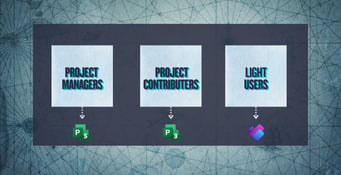
A strategic guide to aligning Microsoft 365 licenses with real user needs while reducing waste and...

When negotiating a Microsoft Enterprise Agreement (EA), most procurement and IT leaders focus on...