Microsoft 365 User Profiling and Feature Mapping Guide for Cost and Compliance

A strategic guide to aligning Microsoft 365 licenses with real user needs while reducing waste and...


.png)
Renewing a Microsoft Enterprise Agreement (EA) is one of the most significant technology purchasing events for organizations. With stakes running into the millions, the way IT and Procurement teams collaborate can make or break the outcome. Too often, companies fall into the trap of working in silos, resulting in over-licensing, wasted spending, and inflexible commitments that weigh on budgets for years. In this blog, we’ll explore how Procurement and IT collaboration, during EA renewals, can prevent overspending and ensure every dollar delivers value.
In many organizations, IT and Procurement approach Microsoft EA renewals from different vantage points:
While both roles are critical, lack of coordination often results in:
Pro Tip: Before starting renewal discussions, establish a single source of truth for license usage data that both teams can reference.
Breaking down these silos is the first step toward a smarter, leaner Microsoft licensing strategy that doesn’t inhibit productivity and security.
During an Enterprise Agreement renewal strategy, IT is responsible for justifying licensing needs based on:
The challenge? Without accurate usage data, IT tends to lean more conservatively, inflating numbers to ensure coverage, leaving a buffer for unforeseen growth. While understandable, this conservative approach leads to over-licensing and overspending when user attrition or slower-than-expected adoption occurs.
Procurement must pressure-test IT’s justifications with usage data, growth forecasts, and real consumption metrics.
Procurement typically acts as the financial watchdog in Microsoft licensing negotiations. Their responsibilities include:
While critical, Procurement’s “policing” role can sometimes create friction with IT, especially if cost-cutting feels like it comes at the expense of service quality or access to critical workloads or features. The key is balance: Procurement must uphold fiscal responsibility without undermining IT’s ability to deliver business outcomes.
Microsoft’s licensing models make EA renewals even more complex by tying them to cloud strategies. IT leaders often weigh:
For example, if IT assumes a rapid migration to Azure and licenses accordingly, but real-world migration stalls, the organization is locked into paying for cloud capacity it cannot use. Procurement should challenge these assumptions by asking:
Alignment here can prevent millions in stranded costs.
Another recurring pain point is growth forecasting. IT often estimates user counts based on projected headcount, mergers, or expansion plans. But these projections frequently overshoot reality.
The best outcomes occur when IT and Procurement use data-driven usage and forecasting rather than gut feel or worst-case planning.
Pro Tip: Don’t assume every new hire requires an E5 license. Consider mix-and-match strategies (E1/E3 with add-ons) to optimize spend.
So how can organizations ensure IT and Procurement teams collaborate effectively during Microsoft EA renewals? Here are some proven steps:
Microsoft EA renewals are complex, high-stakes negotiations that directly impact budgets and IT performance. When IT and Procurement work in silos, organizations overspend, over-license, and overcommit. But when they collaborate, confirm assumptions with data, and balance risk with flexibility, companies can save millions while still empowering their workforce with the right tools.
The bottom line: Breaking down silos between IT and Procurement is a smart move any organization can make heading into their next Microsoft EA renewal. By working together, you can transform your renewal from a financial burden into a strategic advantage.
Ready to Cut Waste from Your Next Microsoft EA Renewal?Don’t go into your Microsoft Enterprise Agreement renewal without your data. With ENow’s Microsoft 365 License Optimization Demo, you’ll see how to:
- Audit actual license usage across Microsoft 365
- Identify over-licensing and duplicative licensing
- Build a data-driven strategy that IT and Procurement can align on
Request Your Microsoft 365 License Optimization Demo and learn how to save money while ensuring the right tools for every user.

Nikki Vijeh has spent the past 15 years helping organizations navigate the complexities of licensing, cloud strategy, and FinOps. She has built and led Microsoft and Cloud Optimization practices, delivering innovative solutions that simplify operations and maximize business value. A proven IT services leader, Nikki has played a pivotal role in forming high-impact technology partnerships and driving sustainable growth. She works closely with partners and enterprise customers to optimize IT investments, negotiate favorable contracts, and align cloud adoption with financial accountability. Her strategic insight, hands-on expertise, and customer-first approach have helped organizations save millions in IT spend while building more efficient and scalable technology.
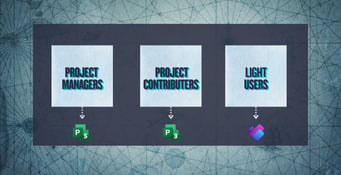
A strategic guide to aligning Microsoft 365 licenses with real user needs while reducing waste and...

For many small and mid-sized organizations,...