Timing and Negotiation Strategies to Get the Best Microsoft EA Renewal Deal

Renewing your Microsoft Enterprise Agreement (EA)is not just a licensing task, it’s a...


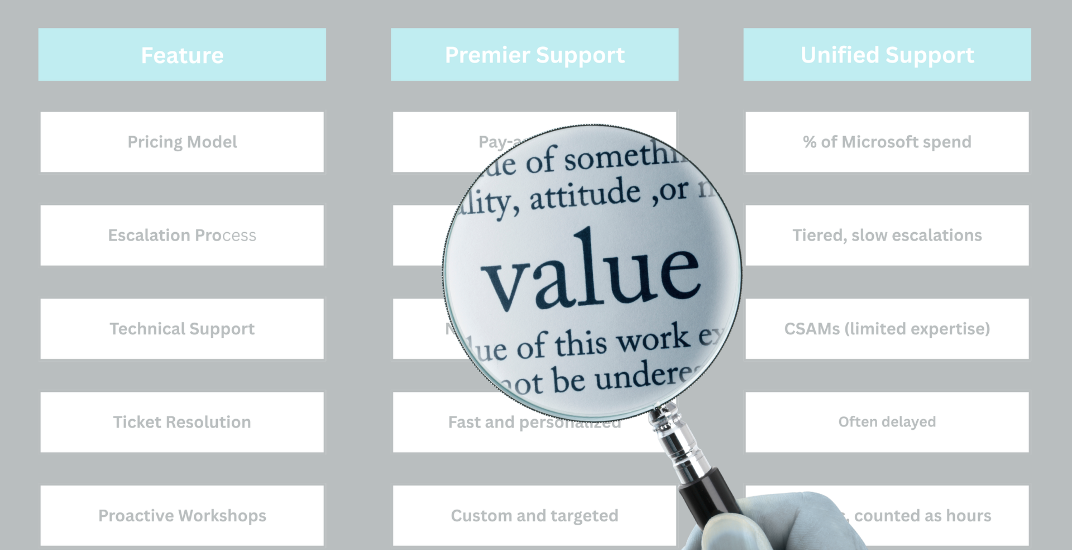
As Microsoft continues evolving its cloud-first ecosystem, many enterprise customers are reevaluating the value of Microsoft Unified Support compared to its predecessor, Premier Support. Once a cornerstone for enterprise IT support, Microsoft Premier Support was phased out in favor of a more standardized, and often criticized, Unified Support model.
This shift has sparked growing concerns about rising costs, poor utilization, and slow ticket resolution, leading many IT and procurement leaders to ask: Is Microsoft support still worth it? In this blog, we’ll break down what changed, customer challenges with Unified Support, and why many organizations are exploring third-party alternatives for better service and cost efficiency.
Before 2021, Microsoft Premier Support was the gold standard for enterprise customers seeking reliable technical assistance. It offered:
Pricing was based on prepaid blocks of support hours (minimums required), giving organizations flexibility and predictability over support costs.
In 2021, Microsoft phased out Premier Support in favor of Microsoft Unified Support, a tiered subscription-based model calculated as a percentage of a customer’s total Microsoft spend across cloud services, licensing, Software Assurance, and Azure usage.
While the intent was to modernize support in line with Microsoft’s cloud-first strategy, the reality has been far from ideal for many customers. Today, Unified Support is widely viewed as expensive, inefficient, with reduced support quality and flexibility, and frustrating, especially for enterprise IT and procurement teams trying to justify its ROI.
Keep in mind that you can only get out of your Unified Support Contract when it’s up for renewal, so you’ll want to give your organization enough time to weigh your support options and determine if it’s the best option for you. Sometimes your Support contract renewal date is matched with your Enterprise Agreement, but not always, so keep track of the support contract date and expiration.
One of the most common complaints from enterprise customers is that Unified Support is overpriced for the value it delivers. While costs are bundled into a flat annual rate based on total Microsoft consumption, actual usage often tells a different story.
Many organizations I’ve worked with report using only 20-30% of their allocated hours. This leads to overspending on support and diminished ROI across the board.
Support tickets in Unified Support can take months to resolve. It’s not uncommon to hear of cases stretching from six months to over a year before full resolution, due to:
This creates real risks for organizations running mission-critical workloads on Microsoft 365 and Azure.
Another complaint with Microsoft Unified Support is that opening a support ticket is frustratingly cumbersome. If the technology area is misclassified at intake, users are required to:
Close the original ticket
Reopen a new one under the correct classification
This restarts the entire support process, adding unnecessary delay, especially in time-sensitive scenarios.
Microsoft includes various proactive workshops as part of Unified Support, but these are often:
In contrast, many System Integrator (SI) partners offer more tailored workshops, for free, that align better with business goals and tech stacks.
In the transition from Premier to Unified Support, Microsoft replaced TAMs with Customer Success Account Managers (CSAMs).
While CSAMs may help with engagement and coordination, they often lack deep technical expertise, leading to:
The general sentiment from many customers is, “We need technical experts, not relationship managers.”
|
Feature |
Microsoft Premier Support |
Microsoft Unified Support |
|
Pricing Model |
Usage-based billing |
% of total Microsoft spend |
|
Support Utilization |
Pay for what you use |
Bundled services cost, often underused |
|
Technical Guidance |
Dedicated TAMs with deep technical expertise |
CSAMs with often limited technical knowledge |
|
Resolution Time |
Faster, more personalized |
Frequently delayed |
|
Workshop Quality |
Customizable and relevant |
Generic and hour-consuming |
|
Escalation Process |
Direct engineering access |
Layered and slow |
|
Service Level Agreement |
Explicit response expectations |
Vary by tier |
|
Flexibility |
Allowed cherry-picking services |
What you get is what you pay for, even if unused |
In response to the shortcomings of Unified Support, many enterprise customers are now turning to third-party Microsoft support vendors.
These vendors typically offer:
Better yet, they can cost 30 to 60% less than Microsoft Unified Support, without compromising quality.
If you’re responsible for Microsoft licensing or cloud operations, it’s time to ask hard questions:
Conducting a support audit before your Microsoft renewal can help you answer these questions. From there, you can explore competitive support providers that offer more responsive service and cost control.
Microsoft Unified Support replaced Premier Support in 2021, but at the cost of flexibility, efficiency, and customer satisfaction.
Common issues include long ticket resolution times, poor utilization of paid hours, and non-technical CSAMs.
Third-party support solutions now offer a compelling alternative for Microsoft 365 and Azure environments, often with better service at lower costs.
Procurement and IT teams should evaluate current Microsoft contracts and consider options that prioritize value and service delivery.
At ENow, we help organizations optimize their Microsoft licensing and support investments through our Microsoft License Optimization tool and Negotiation Services. If you're frustrated with Unified Support and want to explore cost-effective, high-performance alternatives, let’s talk.
Contact us today to learn how to reduce waste with insight into your current allocation and consumption of Microsoft 365 licenses, and your overall Enterprise Agreement and Support Contract terms.

Nikki Vijeh has spent the past 15 years helping organizations navigate the complexities of licensing, cloud strategy, and FinOps. She has built and led Microsoft and Cloud Optimization practices, delivering innovative solutions that simplify operations and maximize business value. A proven IT services leader, Nikki has played a pivotal role in forming high-impact technology partnerships and driving sustainable growth. She works closely with partners and enterprise customers to optimize IT investments, negotiate favorable contracts, and align cloud adoption with financial accountability. Her strategic insight, hands-on expertise, and customer-first approach have helped organizations save millions in IT spend while building more efficient and scalable technology.

Renewing your Microsoft Enterprise Agreement (EA)is not just a licensing task, it’s a...

Once a significant component of Microsoft’s enterprise agreements, Software Assurance (SA) has...