Part 3: Why “All Green” Doesn’t Mean Exchange Is Healthy

One of the most dangerous assumptions in Exchange monitoring is that healthy infrastructure...


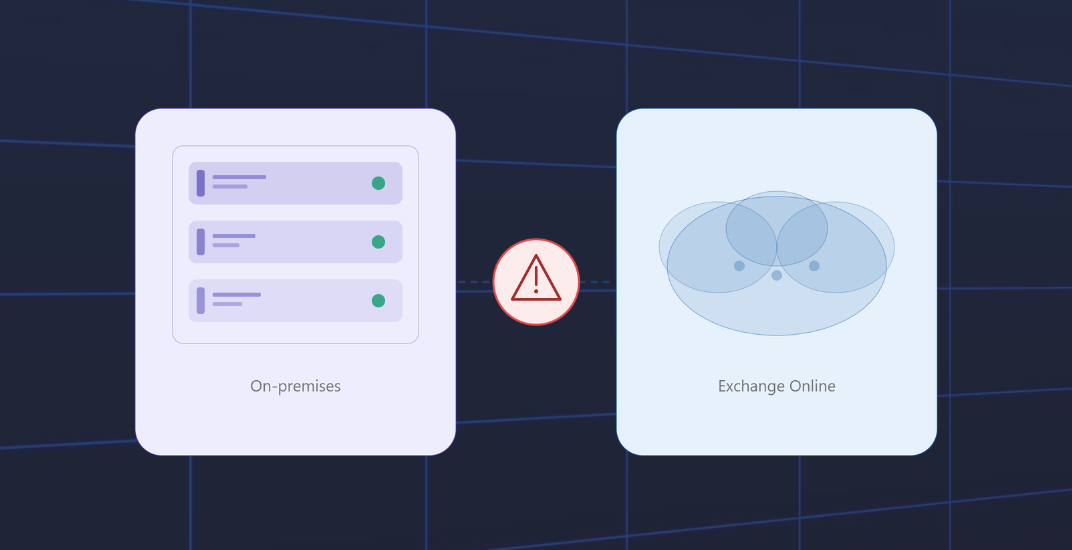
Hybrid Exchange environments are often treated as extensions of traditional Exchange Server deployments. Operationally, however, they behave very differently.
Mail flow traverses multiple transport paths. Telemetry arrives from different systems with different levels of latency, and Exchange Online introduces visibility limitations that many organizations underestimate until troubleshooting begins.
The challenge is not simply monitoring whether Microsoft Exchange services are available. The challenge is building consistent operational visibility across two fundamentally different platforms.
That’s where many blind spots in hybrid Exchange monitoring begin.
[Note for readers: This article is part two of a four-part series. If you'd like to read from the beginning, you can head over to part 1: Monitoring Microsoft Exchange Is Not the Same as Monitoring User Experience.]
End-to-end mail flow monitoring is often overlooked in practice. It's easy to see why. Testing mail flow seems straightforward: just send a test message and see if it gets delivered. However, the real challenge lies in the details, especially when dealing with hybrid environments.
In a purely on-premises environment, there is a single transport path. In an Exchange hybrid environment, there are at least four paths that need to be monitored:
Asymmetric failures are particularly insidious. Messages from on-premises to Exchange Online are delivered, but the return path isn’t working. Users see a functioning email client at first glance. It’s only when replies don’t come back that something is clearly wrong. Troubleshooting then typically starts at the wrong end because monitoring only has one direction in view.
Adding to the complexity is what’s covered in more detail in Blind Spot #6. The metrics and diagnostic data Exchange Online provides for mail flow are fundamentally different from those of an on-premises Exchange server. That makes a consistent end-to-end view structurally difficult and requires a monitoring solution that actively bridges both sides. The answer is synthetic mail flow tests.
Synthetic Mail Flow tests automatically dispatch test messages that traverse all relevant transport paths, with delivery verified, including timestamps and transit time. If a test message doesn’t arrive or transit time exceeds a defined threshold, monitoring fires an alert.
Not because a service isn’t responding, but because a message didn’t reach where it was supposed to go.
ENow recently enhanced their Cloud Mail Flow test. For Exchange environments, the ENow 8.6 release adds round-trip alerting for mail flow monitoring tests in Exchange Online and Exchange on-premises deployments. This measures how long it takes for a monitoring message to return to the system.
Running a hybrid Exchange organization means technically operating two email platforms. They share similar names, connectors, queues, and transport rules, but they are fundamentally different platforms. Those differences make consistent monitoring harder than it appears at first glance.
Exchange Server on-premises is software running on your hardware. You have direct access to:
Data granularity is high; latency between event and metric is low.
Exchange Online is a SaaS offering. It runs on Microsoft’s infrastructure, shared with millions of other tenants. You have no direct access to the underlying platform. What you see are abstractions:
This data varies in granularity and format, and most importantly, it often arrives with a delay. This can result in:
This isn’t a criticism of Microsoft. It’s a structural reality of a shared-service offering that serves millions of tenants simultaneously, where it’s simply not possible to inform every individual tenant in real time.
For monitoring hybrid Exchange environments, this means data from Exchange Online and on-premises Exchange cannot be placed side by side and compared as if they came from the same source.
For example, it’s not uncommon to see timeline discrepancies:
2:00 PM – event occurs on-premises
2:07 PM – event appears in Exchange Online logs
2:23 PM – event appears in the Service Health view, once Microsoft has detected sufficient signal density internally
When an admin tries to correlate a mail flow error using timestamps from both systems, they may draw incorrect conclusions about the root cause. A monitoring solution for hybrid Exchange environments must understand and compensate for these structural differences. It must actively run synthetic tests. Only your own test messages provide reliable real-time data on the actual state of the hybrid connection.
Passively consuming Microsoft’s data alone is often not enough for organizations.
Hybrid Exchange monitoring requires more than combining Microsoft admin dashboards from Exchange Server and Microsoft 365.
On-premises Exchange provides deep infrastructure visibility with near real-time telemetry. Exchange Online operates as a shared SaaS platform where visibility is abstracted, delayed, and structurally different.
That means organizations cannot rely exclusively on passive telemetry when troubleshooting hybrid mail flow problems.
Synthetic transactions and synthetic mail flow testing provide the operational bridge between both environments by validating what users actually experience in real time, not just what dashboards report after the fact.
ENow's Microsoft Exchange Monitoring solution monitors Exchange Server, Exchange Online, and hybrid Exchange environments through a single monitoring and reporting dashboard. Synthetic mail flow testing, proactive alerting, and protocol-level validation help IT teams identify connector failures, asymmetric routing issues, delayed delivery, and hybrid visibility gaps before users begin reporting outages.
In the next article, we’ll look at why “All Green” often does not mean healthy, especially when Layer 7 connectivity, OWA authentication, DAG failovers, and back-pressure conditions are involved.

Thomas Stensitzki is a Microsoft MVP, certified Exchange Server Master, and founder of Granikos GmbH & Co. KG, where he helps organizations modernize messaging, collaboration, and cloud security with Microsoft 365 and hybrid solutions. Alongside decades of deep technical expertise, Thomas has recently turned his focus to connecting technology with real-life conversations. He co-hosts the German-language podcast Cloudchroniken (https://cloudchroniken.de/), exploring the stories behind cloud technology, AI, and digital transformation. He also drives Discuss At Ease, an initiative inspired by his 2024 lymphoma diagnosis, creating open dialogue around illness, resilience, and well-being. A prolific speaker and trainer, Thomas shares insights at events like Experts Live and Exchange Summit. He contributes regularly to the Granikos blog, where his “Cumulative Update” series demystifies the latest in Exchange, Microsoft 365, Teams, and Copilot.

One of the most dangerous assumptions in Exchange monitoring is that healthy infrastructure...
-1.png?height=175&name=Part%201%20Why%20Exchange%20Monitoring%20Fails%20Before%20Users%20Notice%20(1)-1.png)
There’s a moment many Exchange admins know well: a call from the helpdesk, an upset team in...