Part 2: Hybrid Exchange Monitoring Is More Complex Than Most Teams Realize

Hybrid Exchange environments are often treated as extensions of traditional Exchange Server...



You know the picture. Every server is running, every service shows green, and the monitoring dashboard has no red dots. And yet an hour later, someone from sales calls, upset because an important customer reply hasn't arrived in hours. No outage in the classic sense. No alert. And still a problem that does real damage.
This article focuses on scenarios where Exchange appears to be running but isn't functioning correctly. These partial failures are more challenging to detect than complete outages, which are usually obvious. Unlike total outages, partial failures are subtle and often go unnoticed because they occur in areas that standard health checks don't cover.
An Exchange server can be perfectly healthy from an infrastructure standpoint and still fail at its actual job. The service is running, the port responds, and the Managed Availability Health Sets don't report anything unusual. And yet messages sit stuck in queues, replies get delayed by minutes or hours, and some mailboxes are simply unreachable while others work just fine.
The pattern is almost always the same. The disruption never hits everything and everyone. It usually hits one specific transport path, one connector, one group of mailboxes, or one protocol. That selectiveness is exactly what makes partial outages so hard to catch. Monitoring that only checks whether a service is running simply doesn't see it.
We previously discussed silent mail flow breaks in an earlier article of this series. Here, it's helpful to examine two additional scenarios where this pattern appears: maintenance windows and updates.
Maintenance windows are essential for operating Exchange, yet they often cause partial failures. This happens primarily because many monitoring setups intentionally silence alerts during scheduled maintenance, preventing false alarms from overwhelming you during expected service downtime.
The problem arises when that suppression window is too generous or isn't lifted cleanly afterward. If a maintenance window runs longer than planned, say because an update gets stuck, monitoring stays quiet because it still thinks it's in maintenance mode. And if a service isn't fully restored afterward, for instance because a transport service doesn't initialize cleanly after a restart, that goes unnoticed too, as long as alert suppression is still active.
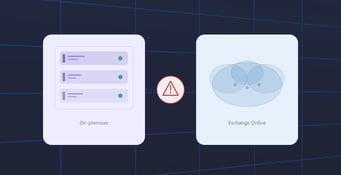
This situation becomes especially complex in hybrid environments. For instance, a maintenance window on the on-premises side might disrupt the connection to Exchange Online, particularly if a certificate renewal occurs during that time and the hybrid connector fails to renegotiate properly afterward. From Exchange Online’s perspective, everything appears normal, and the same goes for the on-premises servers, but the connection between them is broken. This is the classic example of a partial failure: both sides seem fine individually, but the link between them is down.
Maintenance windows should have clearly defined start and end times, with monitoring automatically restarting afterward. Equally important is conducting an active functional test after each window, rather than merely observing for errors. This involves sending test messages through all relevant transport paths and verifying delivery, such as using Test-Mailflow. Additionally, inspect transport queues with Get-Queue for stuck messages and ensure a test account can log in across all necessary protocols. Only when all these tests pass successfully should the maintenance window be considered complete, not just when the service status indicates “Running.”
★ QUICK ANSWER
A maintenance window isn't complete just because Exchange status shows “Running.” Confirm full recovery with an active functional test: send messages across every transport path with Test-Mailflow, check Get-Queue for stuck items, and verify protocol logins for a test account before lifting alert suppression.
Creating a standing checklist rather than improvising after each maintenance event is valuable. Since the definition of “fully restored” varies across environments, depending on protocols, connectors, and DAG configurations, a generic three-step check seldom captures all critical aspects of your specific setup. A documented, environment-specific checklist covering every protocol endpoint, transport path, and DAG member transforms “did we check everything” from a rush judgment into a routine that anyone on your team can follow. You can find a checklist example in the Exchange for IT Pros GitHub repository.
Exchange Server SE now adopts the Modern Servicing model, supporting only the most recent cumulative update at any time. This shift results in more frequent updates and transitional states for Exchange. Although the first CU for Exchange Server SE has not yet been released, this approach also applies to security updates and hotfixes. Such updates induce similar transitional periods, and the maintenance practices outlined here are applicable to all update types, not just cumulative ones.
Each update causes service restarts and sometimes full server restarts. In DAG configurations, failover events occur when mailbox databases move to different nodes. Although these are standard procedures, they create a window during which partial failures might occur without being immediately detected.
Here's an example that makes it concrete. After an update, a DAG member takes over the active copy of a database. That node is technically configured the same as the others, but it's running a different OS patch level, or it's virtualized and sharing the host with other workloads that add extra load. Under the added weight of the database it just took over, it responds noticeably slower than expected. No outage, but a degradation that users experience as “Outlook is stuck,” long before any threshold in your monitoring trips.
That's why it is fundamental to verify, after each update, not only that services are operational but also how well they are performing. Running Get-MailboxDatabaseCopyStatus on all DAG members quickly shows if each copy is healthy and properly mounted, beyond just confirming a successful failover. Monitoring response times, queue lengths, and resource utilization in the hours following an update is important and should involve comparing these metrics to the baseline established before the update.
Not all organizations experience a partial failure with the same impact. Large Exchange environments with many DAG members, redundant edge servers, and multiple namespaces can often handle partial outages seamlessly, leaving users unaware. However, smaller and midsize organizations typically face a different situation, where such risks are often underestimated.
SMBs typically operate with a minimal hybrid setup, often just one Exchange server or two servers without a true DAG, along with a single hybrid connector and one namespace configuration. This approach makes sense financially because implementing a fully redundant communication system, featuring multiple servers, connectors, and alternate routes, requires extra costs and maintenance that smaller organizations may find unjustifiable or prefer to avoid.
The issue with such a lean setup is its lack of buffers. What might be a minor issue in a large environment, absorbed by other components, can cause a complete outage in a smaller setup. If a hybrid connector fails or gets broken, there's no backup path for messages. When delivery slows on the only available transport route, no alternative exists to compensate. What's usually a minor observation in monitoring for a large organization becomes a total halt of email communication for a smaller one.
We've mentioned the lack of redundancy several times in this series, including in the article on hybrid blind spots and the discussion of mail flow paths in hybrid setups. It's important to emphasize that since SMBs are less likely to have redundant paths, early detection is even more critical for them than for large organizations. In large environments, a failover path can absorb the load, providing more time to respond. However, small environments don't have that luxury. The difference between “we caught it in time” and “email was down for three hours” often hinges on monitoring response times, especially when redundancy isn't available to mitigate the impact.
If you're running hybrid as an SMB and deliberately skipping a fully redundant setup, it's essential to compensate with careful monitoring. When the infrastructure lacks a buffer, rapid detection is crucial. This entails frequent checks on critical components, especially the hybrid connector and the core link between on-premises systems and Exchange Online. Additionally, alert channels must be reliable enough to notify someone capable of responding promptly. We previously discussed the importance of alert reachability in an earlier article in this series.
Apart from the abrupt failure of a single, non-redundant component, there's another type of partial failure that's particularly difficult to identify. Gradual degradation rather than an obvious error. For example, a connector linking on-premises systems to Exchange Online may still function operationally, but delivery times gradually increase over several days. While no individual metric hits a typical alert threshold, the overall trend clearly shows a decline.
Trends like these often evade traditional monitoring systems that only trigger alerts at fixed thresholds. The issue becomes apparent only when the delay increases enough to cause user complaints, which is often already a sign of significant problems. In small and medium-sized businesses without backup options, such gradual decline can lead to complete failure because there's no alternative path to handle increased load. Using monitoring methods that detect long-term trends instead of just analyzing individual snapshots offers a clear advantage, no matter the organization’s size.
Partial failures can be costly, yet their expenses remain hidden because there are no incident reports, official outages, or leadership notifications. The consequences are often delayed responses, missed deadlines, and a gradual decline in trust towards your IT system. For example, a sales team member receiving a crucial reply late may not report it formally but simply stop trusting that email is reliable. In smaller organizations with limited IT personnel, this loss of confidence is even more significant, as fewer staff are available to investigate and understand the incident afterward.
Monitoring that only responds to simple states like available or not, running or not, misses this type of failure. What’s needed are ongoing, practical tests that replicate real user activity, along with trend analysis to detect gradual decline before it becomes a serious issue. ENow combines these approaches by using synthetic transactions that imitate actual usage and providing a unified view across on-premises, hybrid, and Exchange Online environments, regardless of whether the infrastructure is redundant.
Failures don't always show up with a red icon. The most costly issues in Exchange environments are often those that aren't classified as outages because everything appears to be functioning on paper. Common moments when these partial failures occur include maintenance windows, updates, and the quirks of hybrid connectivity. SMB environments without redundant communication paths need to be especially aware that a partial failure can quickly escalate into a full outage, so they should tailor their monitoring accordingly. If investing in duplicate infrastructure isn't feasible for a smaller organization, then focusing on early detection becomes even more critical.
Exchange Hybrid Monitoring
Don't let silent failures, delayed messages, or broken hybrid connections go unnoticed. ENow Exchange Monitoring provides proactive alerts, synthetic testing, and visibility across on-premises Exchange, Exchange Online, and Hybrid environments, helping your team detect issues before users report them.
A partial failure is when Exchange infrastructure looks healthy, services running, ports responding, Managed Availability quiet, but a specific slice of the environment doesn't work: one transport path, one connector, one protocol, or one group of mailboxes. Because it never affects everyone, standard health checks usually miss it.
Monitoring that only checks whether a service is running can't see selective failures. A transport service can restart cleanly while a specific connector stays broken, or a DAG member can report healthy while running slower than its peers. None of that trips a simple up or down check.
Run an active functional test, not a status check. Send test messages through every transport path with Test-Mailflow, inspect Get-Queue for stuck messages, and confirm a test account can log in across all required protocols before you consider the window closed.
Run Get-MailboxDatabaseCopyStatus on every DAG member to confirm each copy is healthy and mounted, not just that failover completed. Then compare response times, queue lengths, and resource utilization against your pre-update baseline for several hours afterward.
Smaller environments typically run one Exchange server or two without a true DAG, a single hybrid connector, and one namespace. Without redundant components to absorb a failure, a broken connector or a slow transport path has no alternate route, so a minor issue in a large environment becomes a full outage in a small one.
Use monitoring that tracks trends over time, not just point-in-time thresholds. A connector can stay under every fixed alert threshold while delivery times climb steadily over days; trend-based monitoring catches that decline before users start complaining.

Thomas Stensitzki is a Microsoft MVP, certified Exchange Server Master, and founder of Granikos GmbH & Co. KG, where he helps organizations modernize messaging, collaboration, and cloud security with Microsoft 365 and hybrid solutions. Alongside decades of deep technical expertise, Thomas has recently turned his focus to connecting technology with real-life conversations. He co-hosts the German-language podcast Cloudchroniken (https://cloudchroniken.de/), exploring the stories behind cloud technology, AI, and digital transformation. He also drives Discuss At Ease, an initiative inspired by his 2024 lymphoma diagnosis, creating open dialogue around illness, resilience, and well-being. A prolific speaker and trainer, Thomas shares insights at events like Experts Live and Exchange Summit. He contributes regularly to the Granikos blog, where his “Cumulative Update” series demystifies the latest in Exchange, Microsoft 365, Teams, and Copilot.
Hybrid Exchange environments are often treated as extensions of traditional Exchange Server...

There’s a moment many Exchange admins know well: a call from the helpdesk, an upset team in...