The Attribute, the Myth, the legacyExchangeDN

After some recent Exchange troubleshooting I decided to do a small write-up on an attribute most people working with Exchange know about, the infamous exchangeLegacyDN.

Posts about:
After some recent Exchange troubleshooting I decided to do a small write-up on an attribute most people working with Exchange know about, the infamous exchangeLegacyDN.
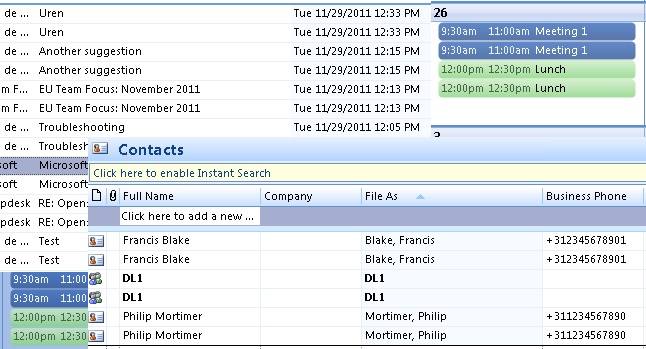
For those involved with Exchange migration projects or managing Exchange environments, at some point you probably have experienced a situation where individuals ended up with duplicate items in their mailbox. Duplicate items can be caused by many things, but most common are:

Many customers nowadays are running a virtualized Exchange environment, utilizing Database Availability Groups, load balanced Client Access Servers and the works. However, I also see environments where it is up to the Hypervisor of choice on the hosting of virtual machines after a (planned) fail-over. This goes for Exchange servers, but also for redundant infrastructure components like Domain Controllers or Lync Front-End servers for example.

The anti-spam agent installation process with Exchange 2013 is similar to previous versions of Exchange. When you install anti-spam agents on Exchange 2013 servers, most agents will be installed on the mailbox role but not the Connection filtering agent, also known as RBL, DNS Block List, etc.


Writing your own transport agent for Exchange Server 2010 is not complicated or an unsolvable task to do.
This transport agent example is the outcome of a requirement to modify email attachments with a GUID based filename. Those filenames were not really usable for the recipients. Interestingly, the email subject contained the information of the content of the attachments. The emails were automatically generated by a SAP reporting application.


We are now in the final stretch in this series with this being the second to last part of creating a test lab from scratch with Windows Servers 2012 and Exchange 2013. I could in truth perhaps go on forever as there are loads of things that I have not covered. But that is the beauty of a test lab, once you have one that is up and running – it is yours to do with as you choose and that is what I hope that you will all do.
As we are now in Part 7 of this series, let's recap the previous parts.
In Parts 1 and 2, we established our domain design, covered how to provision the Domain Controller for the LAB in Hyper-V and then how to install Windows Server 2012 on the Domain Controller, and we went through the process of installing Active Directory Domain Services on the LAB domain controller using PowerShell.

We last left off in Part 5 which covered the Directory, organization and Exchange preparation-and then went on to install the relevant Exchange servers using the unattended setup feature.
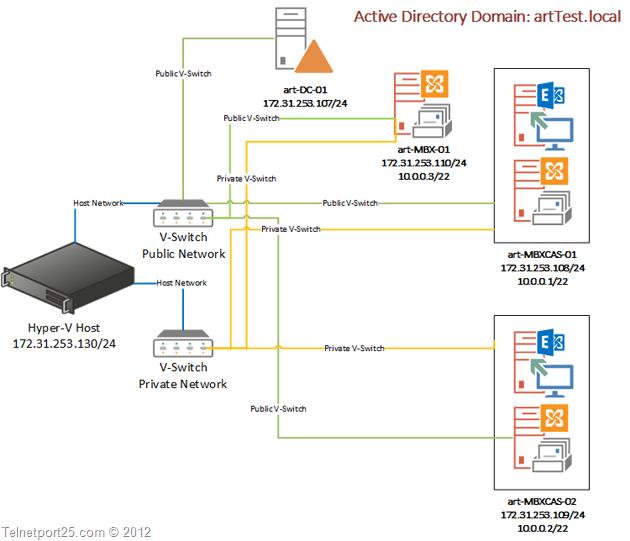
In this, Part 4 of this ENow blog series, I will take you through the provisioning of your Exchange Servers in Hyper-V, summarizing the install of Windows Server 2012 Data Centre (as we have covered the step by step install of Windows 2012 in the first part), and finally installing the prerequisites for Exchange 2013 on Windows Servers 2012.
Times change, people change – and as well all know, technology changes as well. The last part of that sentence could not be more true of Windows, Active Directory and Exchange Server recently.