Exchange Center

ENow Software's Exchange blog built by Microsoft MVPs for IT/Sys Admins.

Posts about:

Microsoft Exchange (14)

Subfolder settings pop up

Under the Hood with ExFolders and Microsoft Exchange

Image of Theresa Miller
Theresa Miller

What is ExFolders?

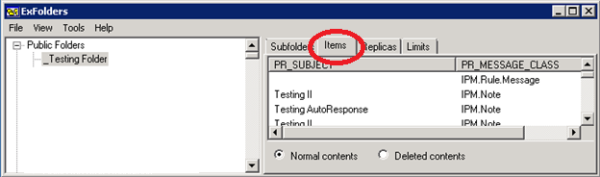
ExFolders is a Microsoft tool that can connect to Exchange 2010 public folders through a GUI and is separate from the Exchange Management Console. This tool has replaced the old PFDavAdmin public folder administration tool that was used with older versions of Exchange. Microsoft has added some backward compatibility within ExFolders and has configured it to work with Exchange 2007, but it must be run from an Exchange 2010 server.

Read More
Computer Configuration

Configuring Anti-Affinity in Failover Clusters

Image of Michel de Rooij
Michel de Rooij

Many customers nowadays are running a virtualized Exchange environment, utilizing Database Availability Groups, load balanced Client Access Servers and the works. However, I also see environments where it is up to the Hypervisor of choice on the hosting of virtual machines after a (planned) fail-over. This goes for Exchange servers, but also for redundant infrastructure components like Domain Controllers or Lync Front-End servers for example.

Read More
Cyber Security padlock

RBL and Exchange 2013

Image of Lasse Pettersson
Lasse Pettersson

The anti-spam agent installation process with Exchange 2013 is similar to previous versions of Exchange. When you install anti-spam agents on Exchange 2013 servers, most agents will be installed on the mailbox role but not the Connection filtering agent, also known as RBL, DNS Block List, etc.

Read More
Solutions Engine blog

Creating an Exchange 2010 Transport Agent

Image of Thomas Stensitzki
Thomas Stensitzki

Writing your own transport agent for Exchange Server 2010 is not complicated or an unsolvable task to do.

This transport agent example is the outcome of a requirement to modify email attachments with a GUID based filename. Those filenames were not really usable for the recipients. Interestingly, the email subject contained the information of the content of the attachments. The emails were automatically generated by a SAP reporting application.

Read More
Exchange Lab listing image

Exchange 2013 Lab Tutorial: Part 8- Users, Mailboxes, Distribution Lists and Public Folders

Image of Andy Grogan
Andy Grogan

We are now in the final stretch in this series with this being the second to last part of creating a test lab from scratch with Windows Servers 2012 and Exchange 2013. I could in truth perhaps go on forever as there are loads of things that I have not covered. But that is the beauty of a test lab, once you have one that is up and running – it is yours to do with as you choose and that is what I hope that you will all do.

Read More
Exchange Lab listing image

Exchange 2013 Lab Tutorial: Part 7- Setting up DAG Databases and SSL

Image of Andy Grogan
Andy Grogan

As we are now in Part 7 of this series, let's recap the previous parts.

In Parts 1 and 2, we established our domain design, covered how to provision the Domain Controller for the LAB in Hyper-V and then how to install Windows Server 2012 on the Domain Controller, and we went through the process of installing Active Directory Domain Services on the LAB domain controller using PowerShell.

Read More
Microsoft Exchange Servers listing image

Building an Exchange LAB Environment: Provisioning Exchange Servers

Image of Andy Grogan
Andy Grogan

In this, Part 4 of this ENow blog series, I will take you through the provisioning of your Exchange Servers in Hyper-V, summarizing the install of Windows Server 2012 Data Centre (as we have covered the step by step install of Windows 2012 in the first part), and finally installing the prerequisites for Exchange 2013 on Windows Servers 2012.

Read More